You've Got Mics. Now What? | Recording Smart Part 3 | Boulevard Recording
You've Got Mics. Now What?
The signal chain nobody talks about — and the order you should actually build it.
Part 3 of the Recording Smart series. Parts 1 and 2 covered mic philosophy and mic selection. This one covers everything your mics are feeding into — and why it matters just as much.
Here is something that does not get said enough: a great microphone is only as good as what it is plugged into.
Most home recorders spend weeks agonizing over mics — reading reviews, watching shootout videos, debating capsule designs — and then plug those mics into a $200 interface and wonder why it doesn't sound like a record. The mic gets the blame. The mic is not the problem.
What you record through matters. The preamp shapes the character of your sound before a single sample is captured. The converter determines how faithfully that sound crosses from the analog world into your DAW. Get these wrong and there is nothing a mixer can do to fix it. A mixer can eq, compress, and process what you give them. They cannot go back and re-record your vocals through a real preamp after the fact.
A mixer can eq or compress what you give them. They cannot record your vocals with a great front end after the fact. That decision was made the day you tracked.
So here is the order of operations — the full chain, in the sequence you should be thinking about it and spending money on it.
The Priority Order
The preamp is the single most character-defining piece of equipment in your signal chain. It is the difference between a recording that sounds like a demo and one that sounds like a record. And it is the thing most people either skip entirely or cheap out on while spending real money on mics.
There are two distinct flavors worth knowing: API-style and Neve-style. API is faster, has more midrange coloration, and is the front end you hear on a enormous percentage of classic rock, soul, and contemporary records. Neve is warmer, fuller in the low end, and tends toward a smoother top end. Neither is wrong. They are just different tools for different sounds. For most styles of music, I cannot imagine a better front end than API. It just works.
Now here is the part nobody talks about: the best way to get that sound at a home studio budget is to build it yourself.
On Building Your Own Preamps
Before you dismiss this — hear me out. Soldering is a learnable skill. It is not difficult. Buy a cheap guitar pedal kit from TEMU for $30 and a mid-level soldering iron from Amazon, watch a few YouTube videos, and build two or three pedals. That is all the practice you need. Once you can solder a guitar pedal, you can build a preamp.
The reason to go this route is simple: the kits available today sound better than most assembled gear at two or three times the price. Everything is labeled, organized into small ziplock bags, and comes with clear instructions. It is not beginner-friendly in the sense that you need to pay close attention to what you are doing — but if you can make a guitar pedal, you can absolutely do this.
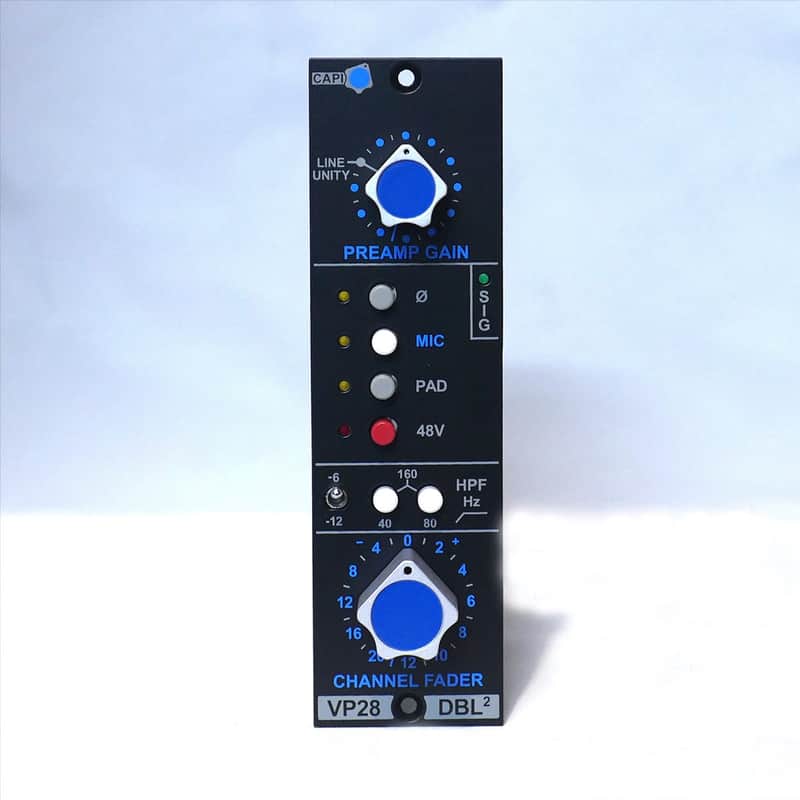
Jeff Steiger at CAPI has done something remarkable: he has recreated the sound of a mid-1970s API console more accurately than anyone else on the planet — including API themselves. I own a vintage API 3288 console. I know exactly what that front end sounds like. No one has come closer to it than the VP28. The reason is the transformers and the redesigned op amp — the physics are correct, and that is what makes the difference. The VP28 is not just a preamp — it includes the full channel circuit: fader, output transformer, additional op amp, and a high pass filter, exactly as the original consoles were built. You are getting the whole signal path, not just a gain stage. Start with four. You will not regret it.
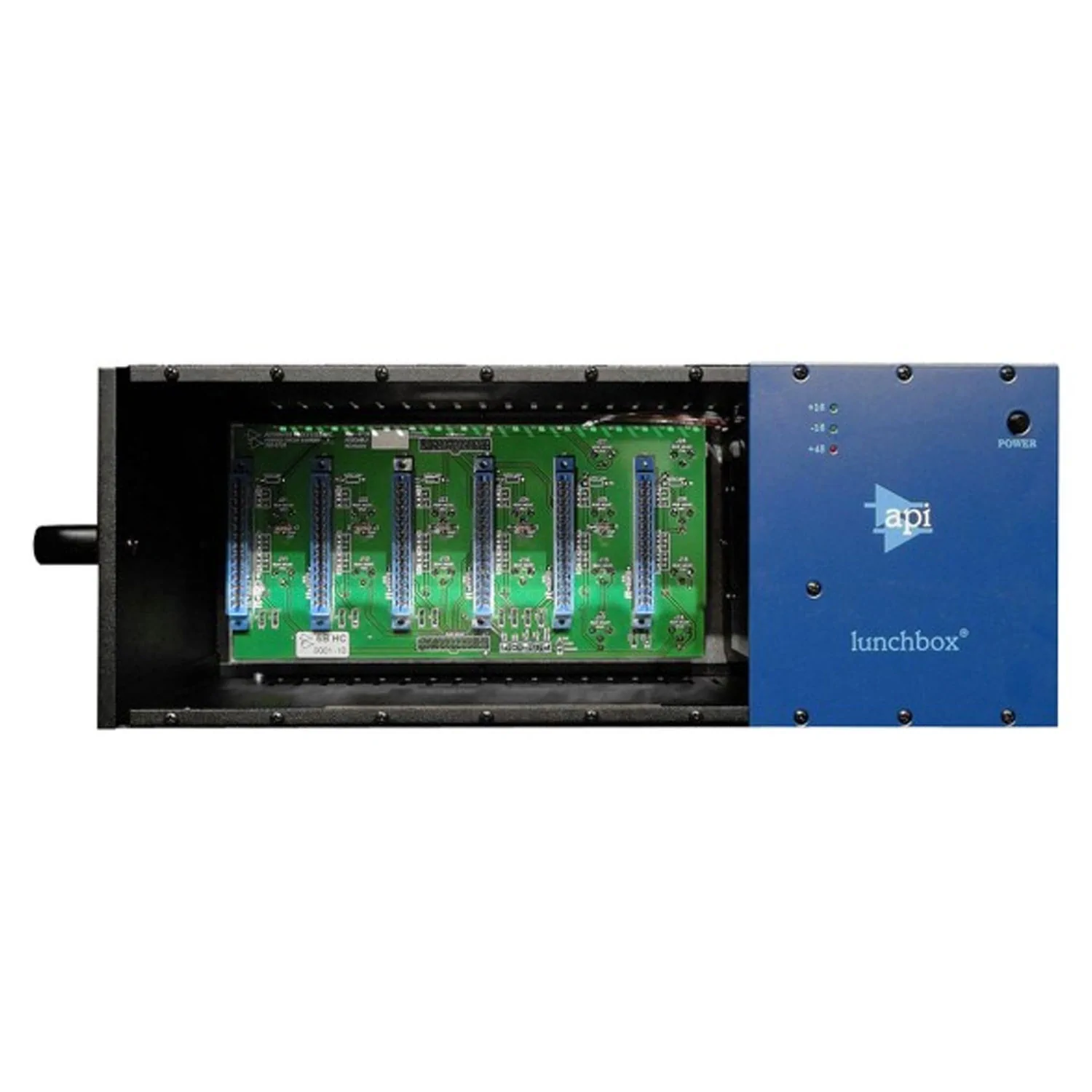
The 500 series format is the smartest way to build a modular front end. One rack holds six modules — preamps, EQ, compression, whatever you need — and it grows with you. Buy the rack once and fill it over time. The API 6-Spot is the standard choice: solid build, powers everything correctly, and at $699 new it is not an extravagance. Four VP28s fills it two-thirds of the way. The remaining two slots are where EQ or compression lives when you are ready for it.
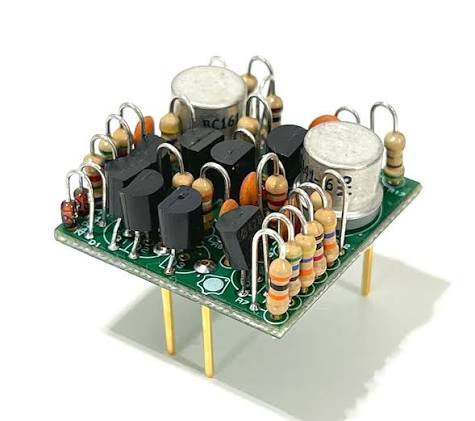
Each VP28 requires two op amps. Assembled, they are $50 each — $400 for a set of four preamps. CAPI also sells them as a 10-pack kit for $177.50, which works out to about $17.75 per op amp. Building them yourself takes roughly an hour per op amp and they are more tedious than the preamp itself — smaller components, tighter work. But if you are comfortable with the soldering and want to maximize how far your budget goes, the savings are significant. Either way, the CA-0252 is the component that makes the VP28 sound the way it does. Do not substitute.
The Neve Alternative
If you want a different flavor — something warmer, smoother, more in the Neve tradition — Audio Maintenance Limited is the answer. AML makes the Carnhill transformers used in BAE and other Neve reissues. The fact that they also sell complete kits using those same transformers is something most people do not know, and it is an extraordinary value.
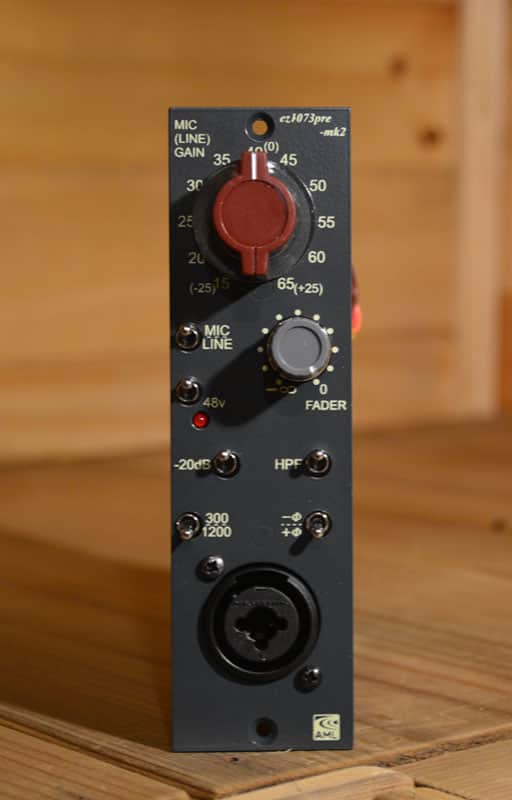
A Class A mic/line/DI preamp in 500 series format, built around the same Carnhill transformers AML makes for BAE and other Neve-licensed products. To my ears this outperforms BAE at a fraction of the price. If you want a Neve-style front end and are prepared to deal with international shipping and current tariff conditions, this is the most honest recommendation I can make at this price point. The assembled option adds 110 euros if building it yourself is not appealing.
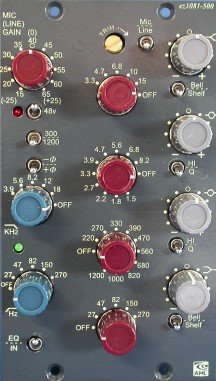
The 1081 adds a full Class A/B EQ section to the preamp — based on the Neve 1081 module, which is one of the most musical equalizers ever put in a console. If your budget can stretch here, this is the most complete single module you can put in a 500 series rack. You get the preamp and the EQ in one slot, leaving the remaining slots for compression or additional preamps. I have used these and they sound great. Better than BAE to my ears, at less money.
Once your signal has passed through a real preamp, the converter is what determines how faithfully that sound makes it into your DAW. Bad converters do not just sound worse — they take something that was recorded beautifully and sand the edges off it. Recording through an old budget interface is not a neutral choice. It is an actively bad one.
This does not mean you need to spend $5,000 on a Prism. It means you need to not cheap out on the interface in a way that undermines everything upstream of it. Three options worth knowing at this level — listed in honest order of sonic priority:
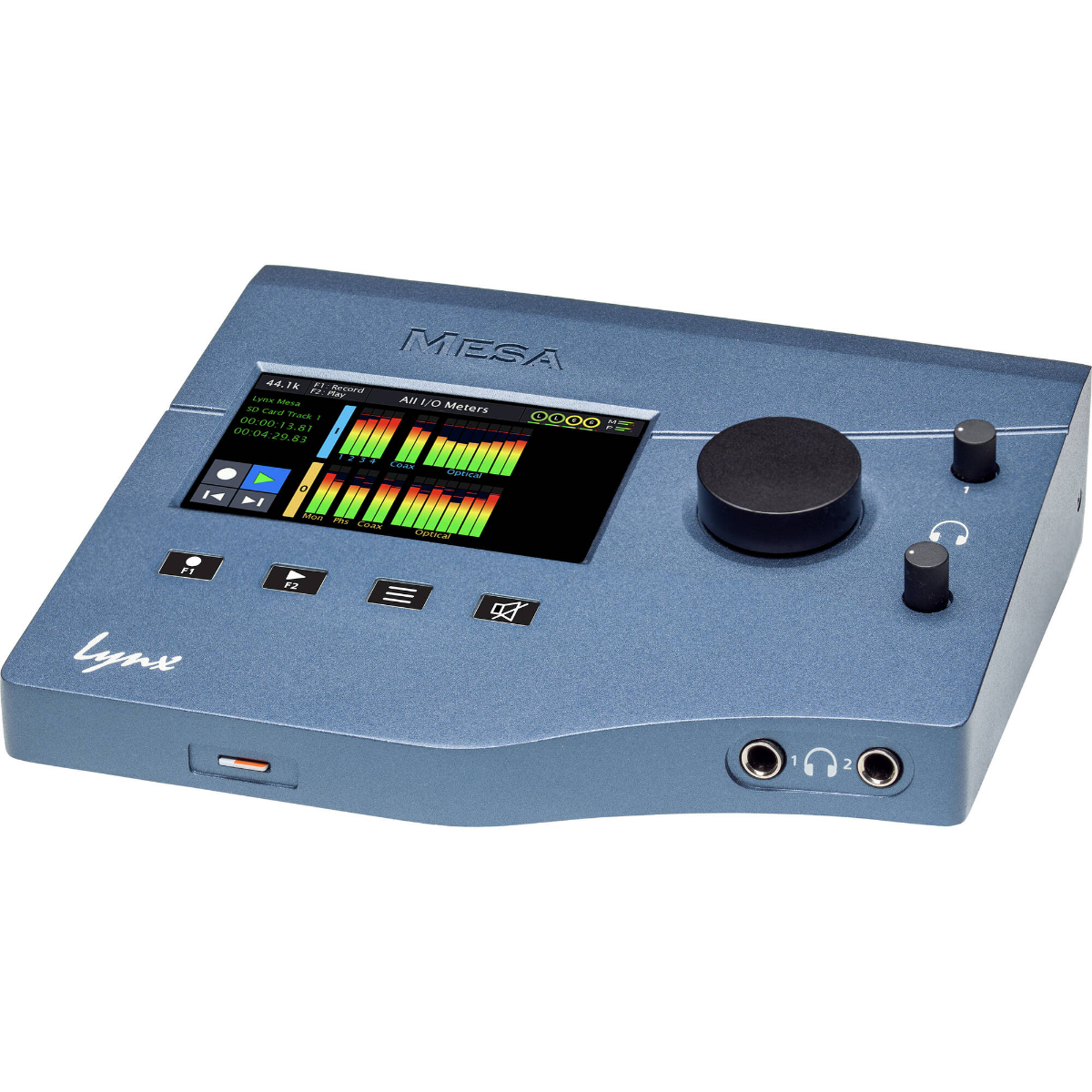
This is the best-sounding interface on this list, and it is not particularly close. I ran Boulevard off Lynx Aurora converters for the first six years I was open — I still have one of their converters in the room. Lynx has been building reference-grade conversion for mastering engineers and serious studios for decades, and the Mesa brings that same conversion quality into a desktop form factor at a price that is actually reachable. The preamps are the same design used in their Aurora(n) modular system — quiet, fast, and completely honest. Dynamic range of 116dB in mic mode, flat to within 0.01dB from 20Hz to 20kHz. Built-in touchscreen for full control without a computer, SD card recording for backup, and a routing matrix that handles anything you throw at it. No plugin ecosystem, no gimmicks — just extraordinary conversion. If you are serious about what goes into your DAW, this is where to put your money. Everything else on this list is a compromise relative to the Lynx. A worthwhile one depending on your budget, but a compromise.
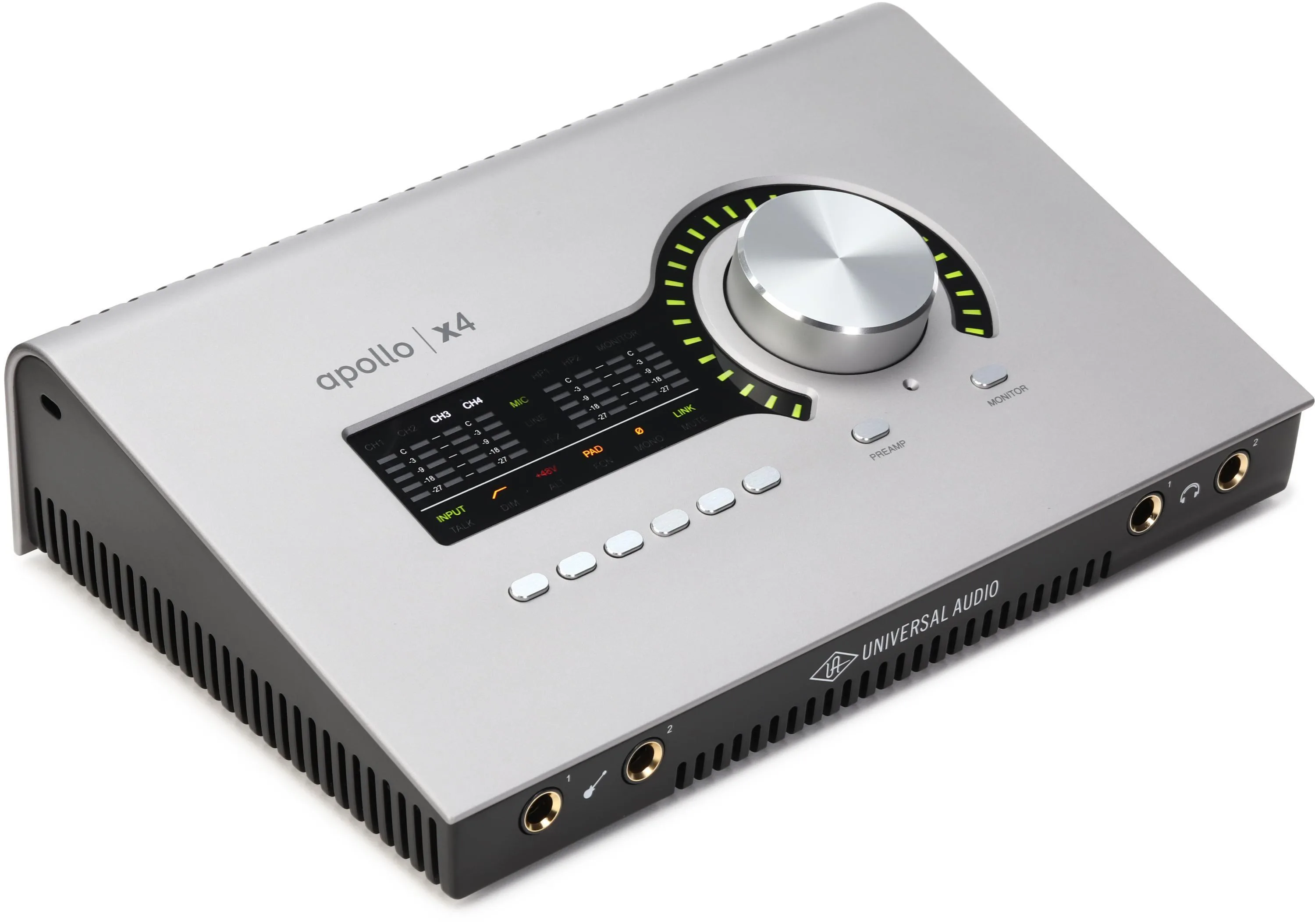
The better Apollo for anyone tracking a real session — four mic inputs gives you enough to run a proper setup without constantly patching around. The UA plugin ecosystem is genuinely good and the Thunderbolt connection keeps latency low. Same caveat as always: Unison is worth using on sources where character matters less — a second guitar mic, hi-hat, toms, room fill. Your lead vocal, kick, snare, and main instruments go through your real preamps. The Apollo handles the rest. Used that way, the x4 is solid infrastructure at a reasonable price.
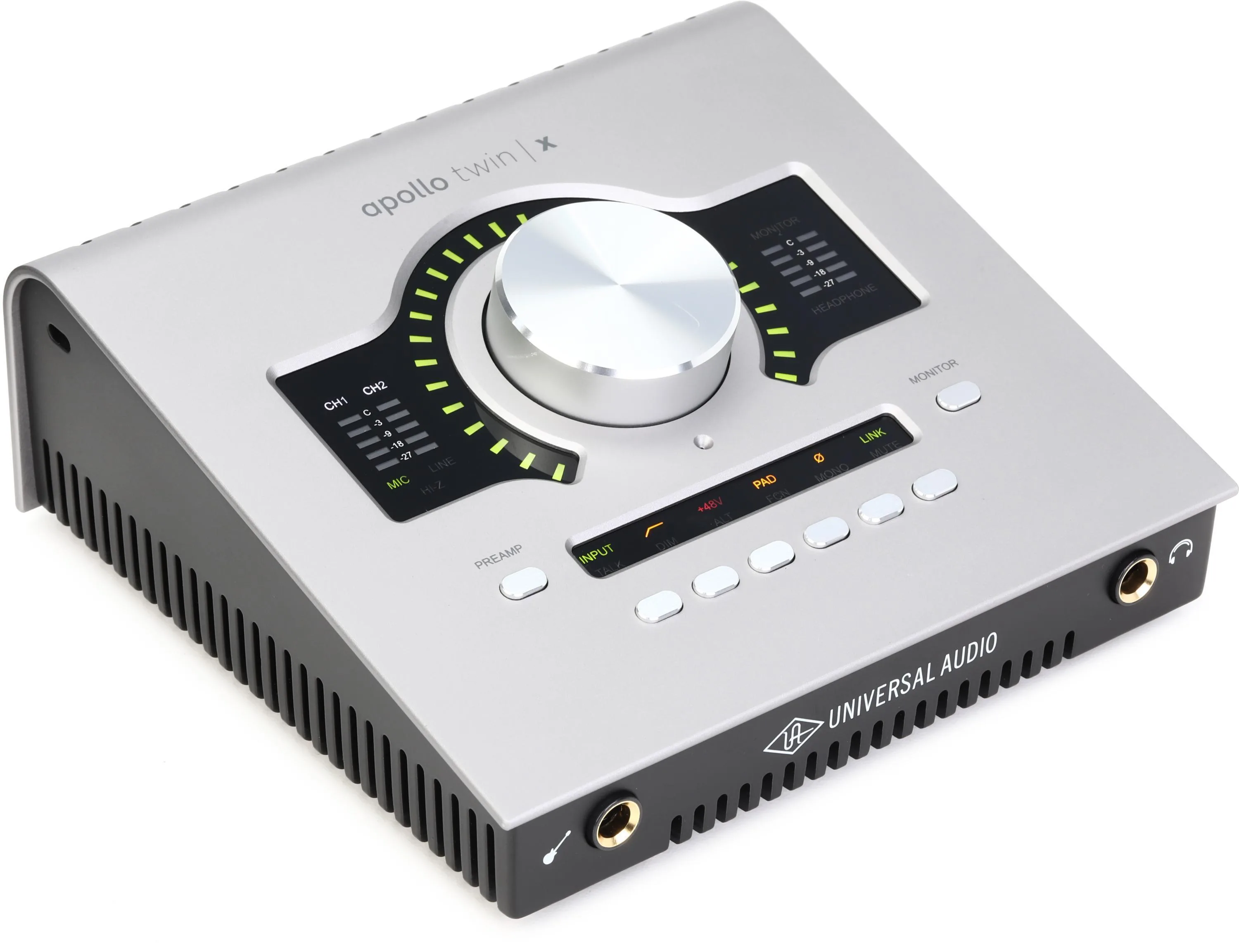
Strong value at the price, and the Quad processing gives you more DSP headroom for real-time plugin monitoring. The limitation is channel count — two mic inputs works if you are primarily doing overdub sessions or tracking one source at a time, but it will become a constraint quickly in a full session context. A reasonable entry point into the UA ecosystem if the x4 is out of reach, with the understanding that you may grow out of it faster than the other options here.
This section is short because it deserves to be. The DAW conversation absorbs an enormous amount of energy in home recording communities and most of that energy is wasted. Every major DAW can record, edit, mix, and deliver a finished record. The differences between them are real but not decisive. What is decisive is how well you know the one you are using.
There are two categories worth distinguishing:
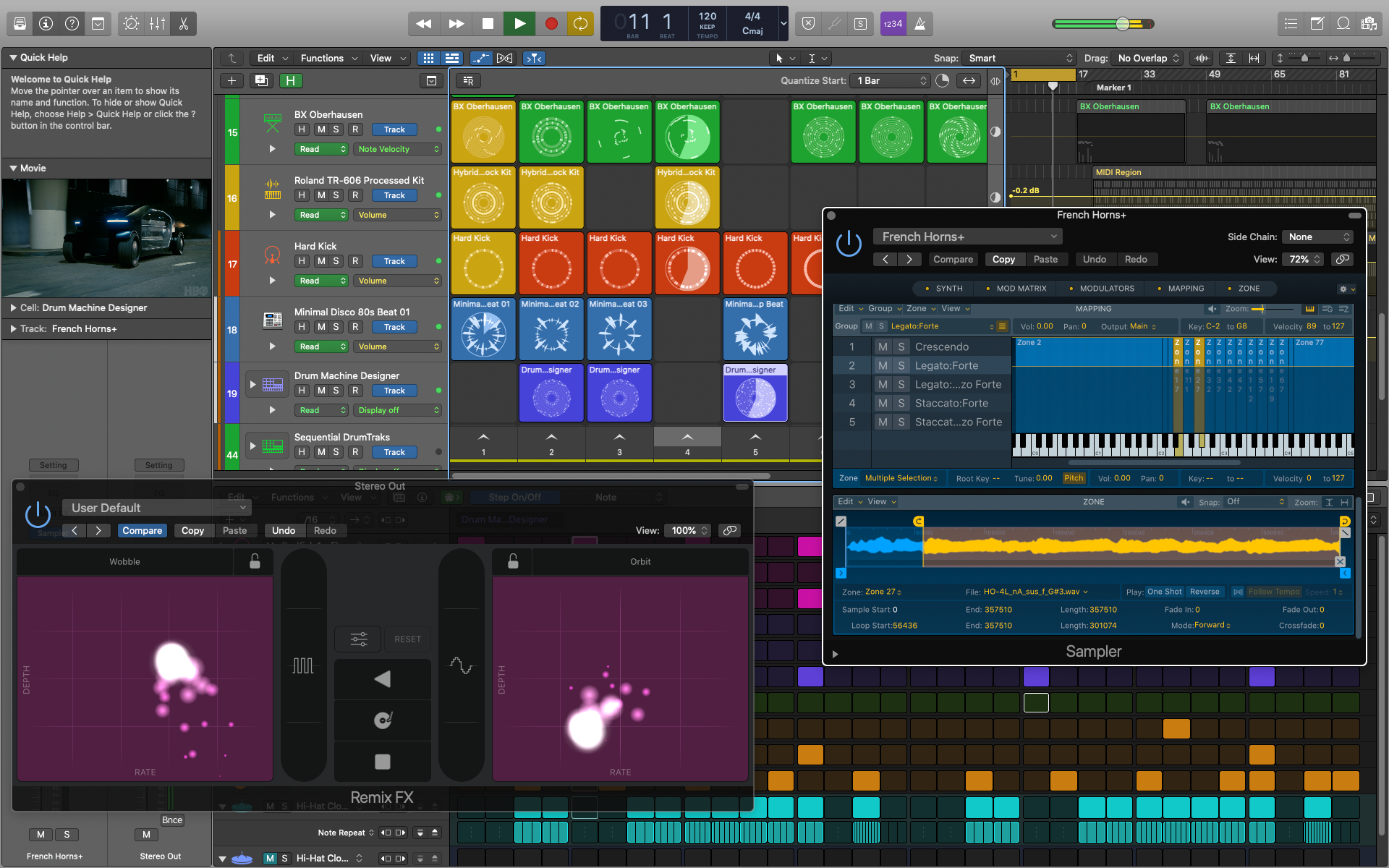
If you are coming from GarageBand, Logic is the natural next step — same design language, same workflow logic, dramatically more power. It comes loaded with virtual instruments, a built-in drummer, and enough built-in processing to record and mix an entire album without buying a single plugin. The learning curve is gentle relative to what you get. For someone starting out who wants to focus on making music rather than learning software, this is where I would point them. Ableton is another strong option in this category — different approach, equally valid, extremely popular. Try both and go with whichever one makes sense to your brain.
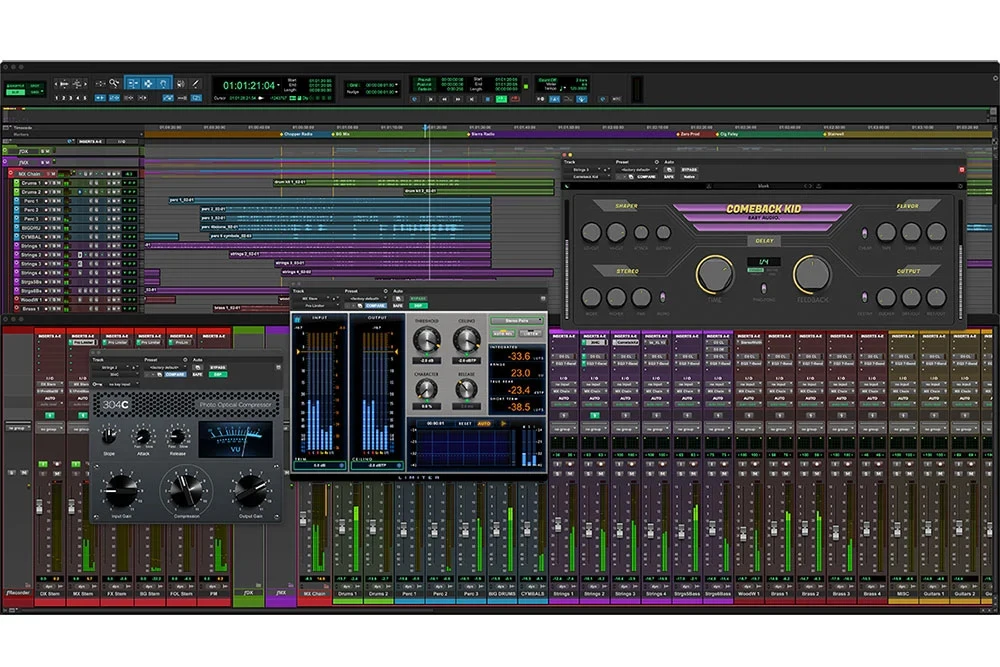
Pro Tools is the industry standard for a reason — every major studio runs it, every professional session is delivered in it, and its editing and routing capabilities are genuinely deeper than the alternatives. It is also the least forgiving DAW to learn. The workflow is not intuitive until it is, and getting there takes time. My recommendation: if you are serious about a career in recording or mixing and want to be able to walk into any professional studio and sit down, learn Pro Tools. If you just want to make great recordings of your own music, Logic or Ableton will get you there faster.
Compression is the last thing you add, not the first. Before your front end is solid, outboard compression is not going to save your recordings — it is going to compress something that already has problems. Get the room, the mics, the preamps, and the converters right first. Then think about compression.
When you are ready, the options below are legitimate pieces of gear that sound extraordinary and will not require a second job to afford. All of them are available as kits or assembled at reasonable prices, and all of them are based on classic designs that you have heard on records your whole life.
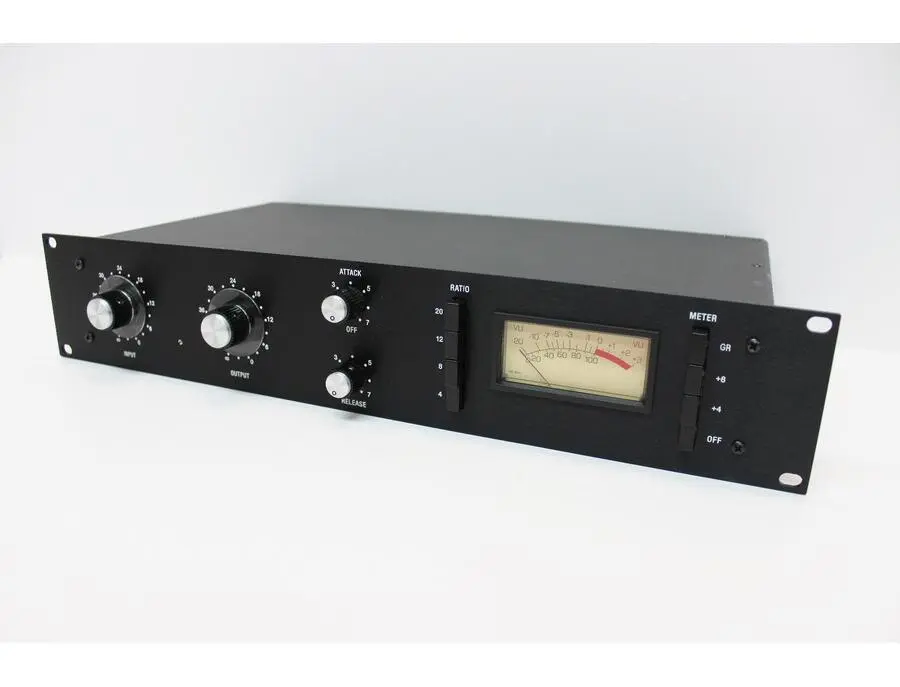
Based on the UREI 1176 — one of the most recorded-on compressors in history, heard on everything from Led Zeppelin to Michael Jackson to Kendrick Lamar. The Hairball version is a legitimate clone that sounds extraordinary. I once put my real UREI 1176 in stereo with a Revision D Hairball and the two held up next to each other in a way that still impresses me. At $800-900 assembled on Reverb you are getting a classic FET compressor at a fraction of what the original costs. If you only buy one compressor, this is the one.
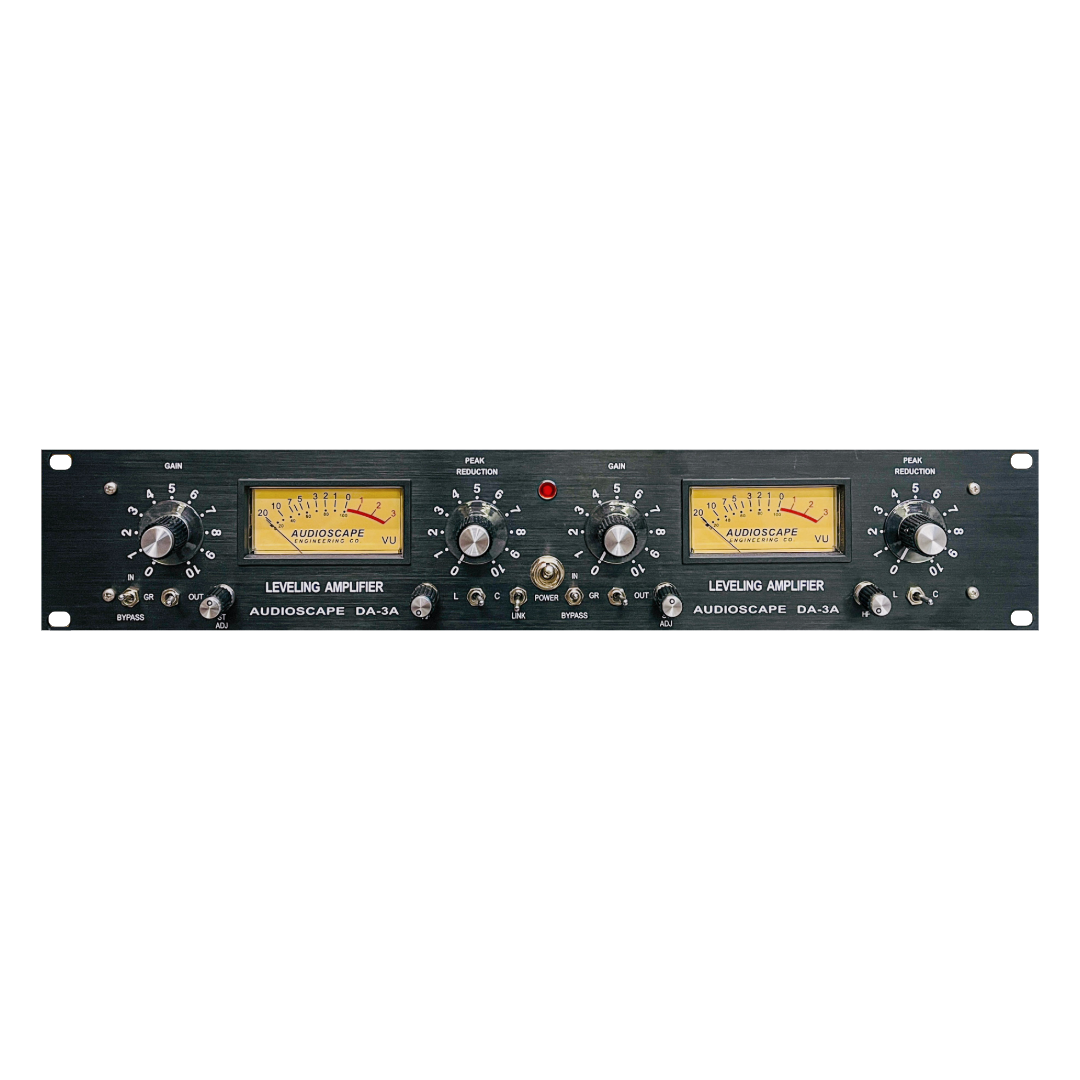
Based on the Teletronix LA-3A — an optical compressor with a gentler, more musical character than the 1176. Where the 1176 grabs fast and hard, the LA-3A style of compression smooths and glues without calling attention to itself. Vocals, acoustic guitar, bass — anything where you want the compression to be felt rather than heard. The Audioscape version sounds great and is priced honestly.
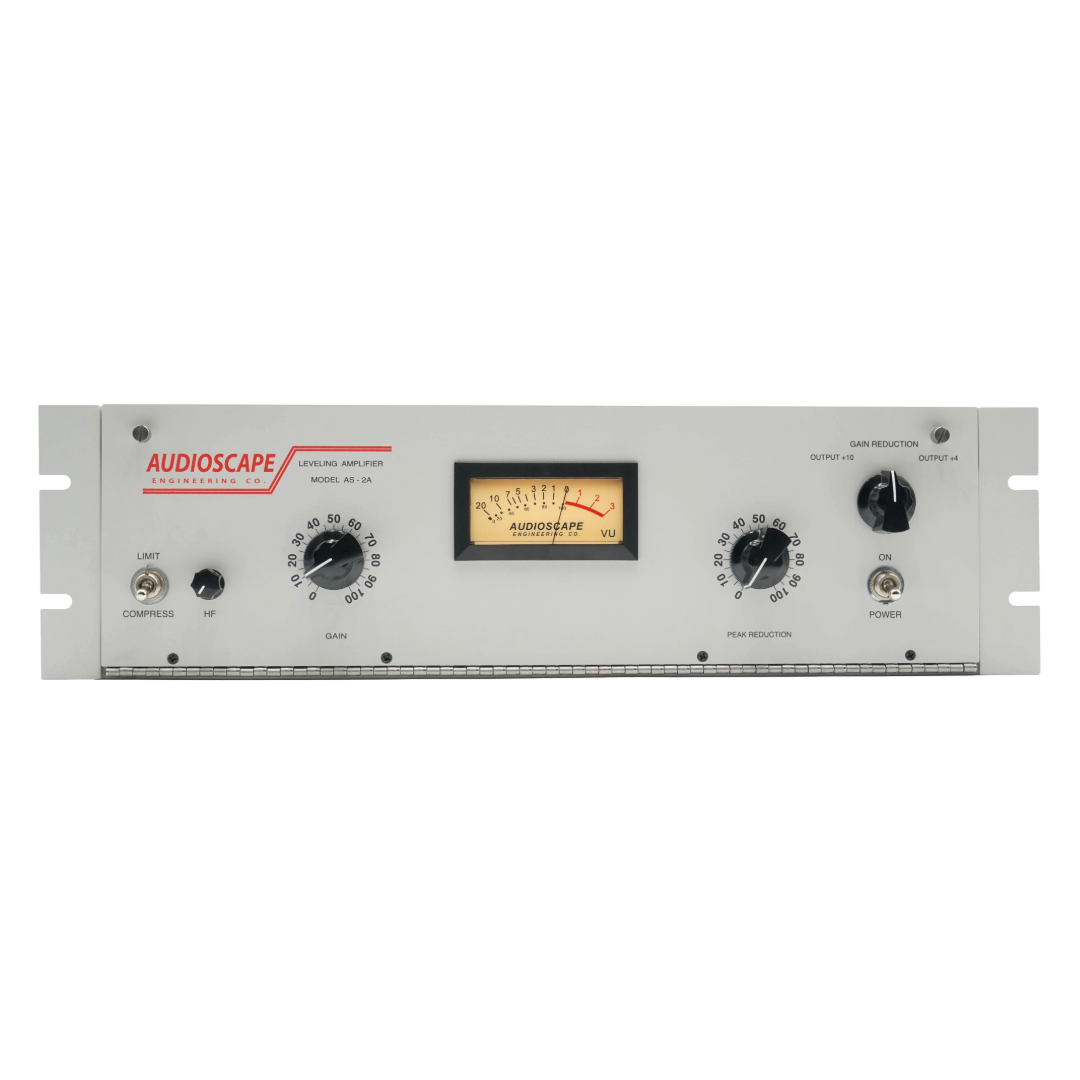
Based on the LA-2A — the optical tube compressor that defined the sound of vocal compression on more records than any other single piece of equipment. Slower and warmer than the LA-3A, with a tube gain stage that adds its own character to everything it touches. If you are recording vocals and want one compressor that is going to make everything feel more like a record, this is a legitimate answer. The Audioscape version delivers the character without the vintage price tag.
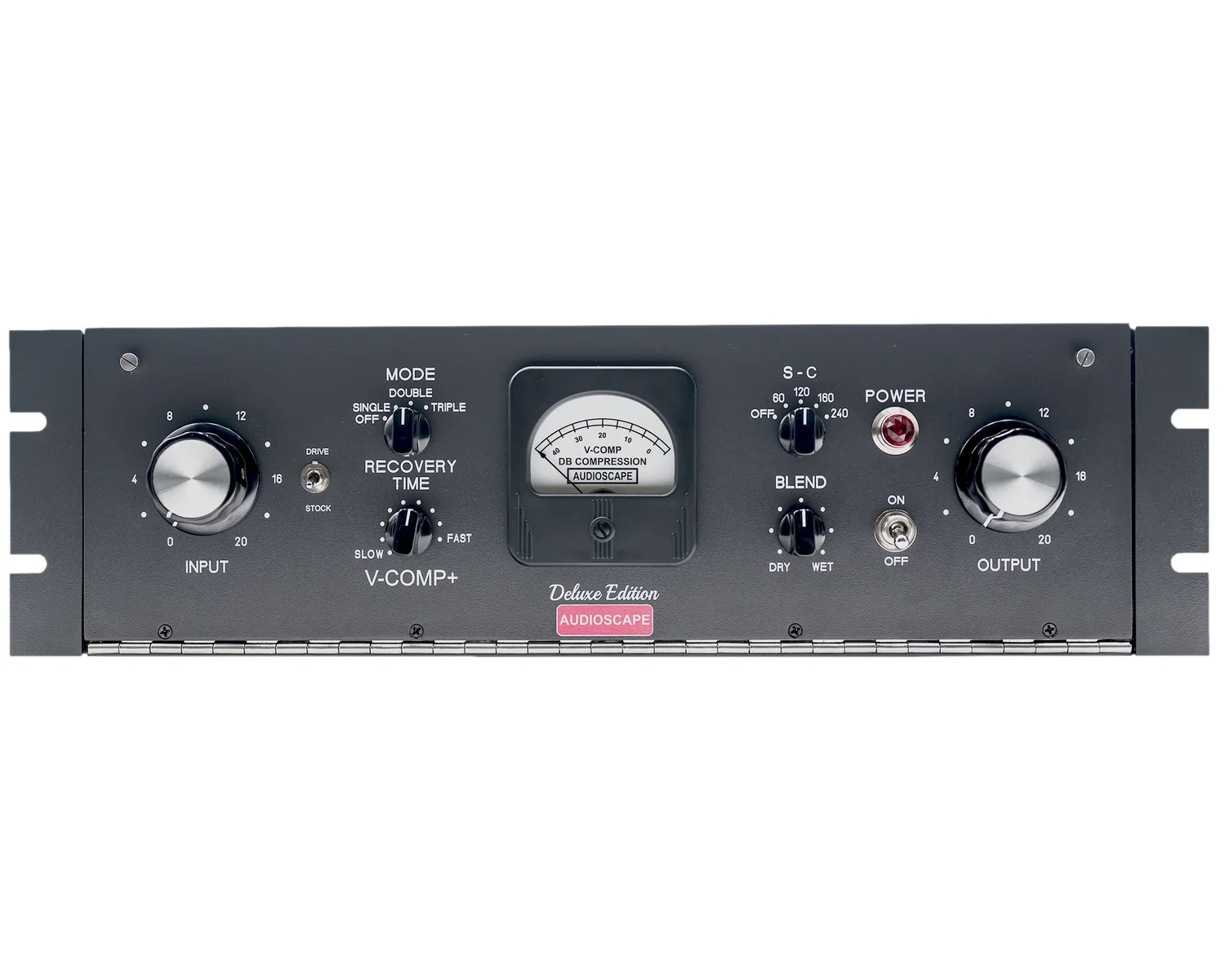
Based on the Gates Sta-Level — one of the earliest program-dependent compressors and one that has a character completely unlike anything else on this list. Variable-mu tube compression at its most musical. Slower, warmer, and more colored than the 1176 or the optical designs. The V-Comp is not a utility compressor — it is a flavor compressor. When you want something that sounds unmistakably like a vintage record, this is the tool. A different purchase than the others on this list, and a very good one.
The front end at Boulevard. Every piece in the chain earning its place.
The One Thing That Kills Mixes Before They Start
I receive a lot of mix projects tracked on Apollo interfaces with Unison engaged on every source — vocals, guitars, drums, everything. The result is always the same: a mix that is tonally flat, where everything lives in the same dimensional space and nothing wants to separate. It is one of the most common and most preventable problems in home recording today.
The fix is not in the mix. It cannot be fixed in the mix. The answer is a real preamp on your integral sources — lead vocal, kick, snare, main guitar — and reserving your interface preamps for the sources where character matters less. That division of labor is the difference between a recording that sounds like it was made in a home studio and one that does not.
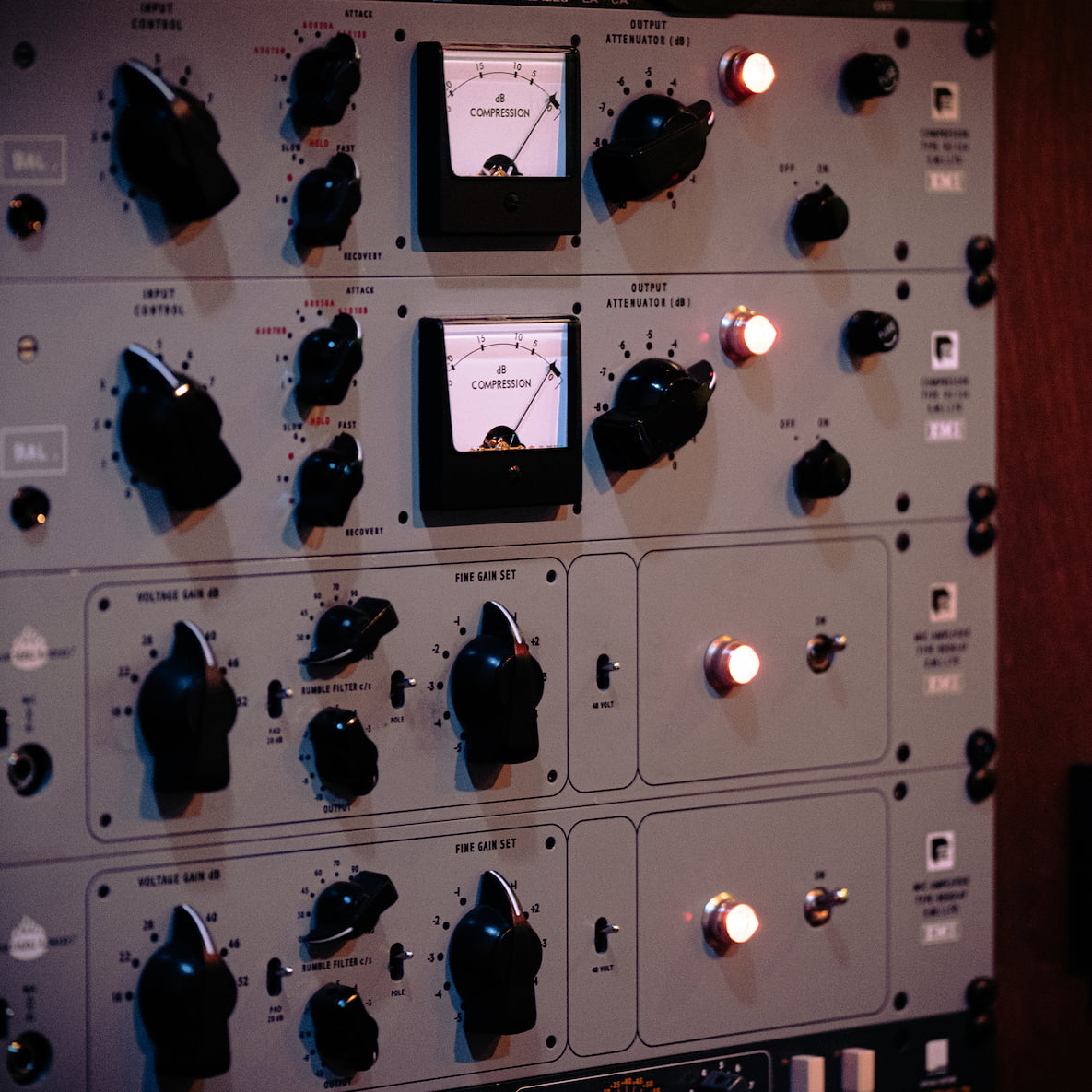
The front end at Boulevard. Every piece in the chain earning its place.
The full chain is now in front of you. Room, mics, preamps, converters, DAW, compression — in that order, for those reasons. None of it is complicated. All of it is achievable at a home studio budget if you make the right decisions in the right sequence.
The next part of this series goes inside a real session — what it actually looks like to set all of this up and track a full band through it.
Want to talk through your specific setup?
Clay Blair has been recording, producing, and mixing at Boulevard Recording in Hollywood since 2010. If you are trying to figure out where to spend your budget and what to prioritize, he has heard every version of this problem.
Call: 323-337-6911
Email: jaymes@boulevardrecording.com
One room. One client at a time. One focus: your music.